MacBook air Connects to Sony KD55x7000D as a second monitor for the Microsoft RDP client.
Hey Jasimine,Nice to e-meet you
Welcome to try the following guide on how to connect your Sony TV with your MacBook air laptop, so that the Sony big screen can serve as a second monitor. It can greatly boost your productivity, and sometimes, increase your pleasure when working. This article is better to read on a big screen.

Step 1 Identify USB-C Ports
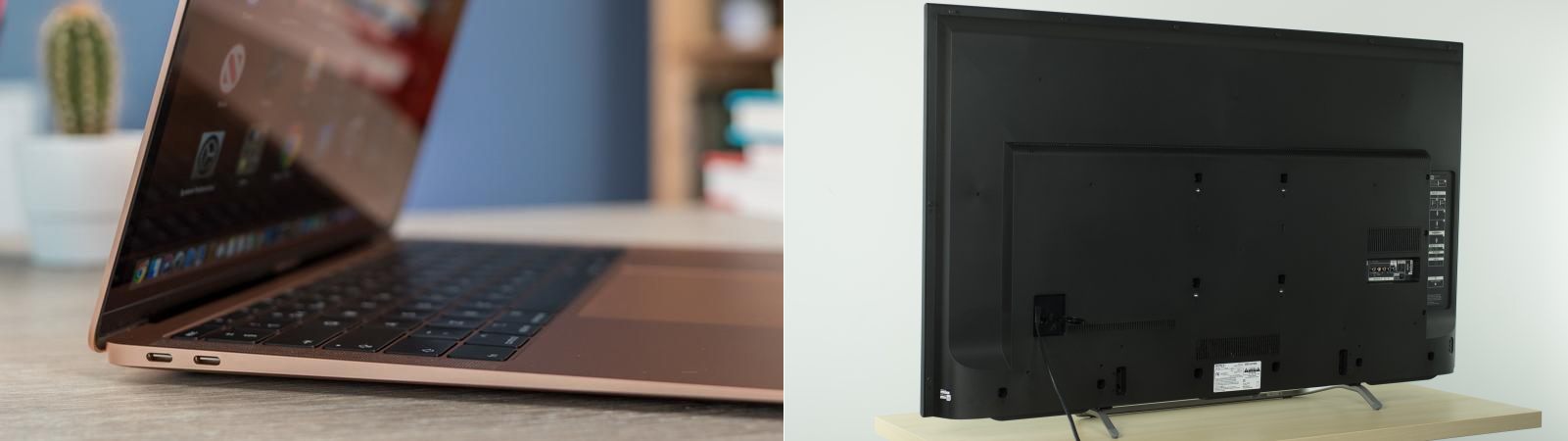
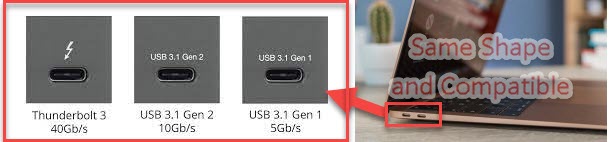
MacBook Air has two USB-C or Thunderbolt, for fast data transfer and extend an extra monitor. They have exactly the same shape and can be used interchangeably. However, the cable type is important, as the same port can be used for different purposes.
MacBook Air USBC port
Step 2 Identify HDMI Port
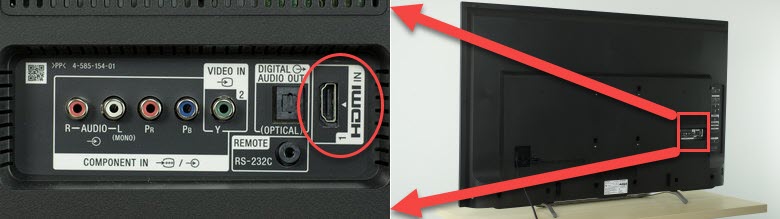
HDMI is commonly provided by modern TV and intelligent appliance for display signals. different versions carry different quality video, audio or network signals. Sony TV has 3 HDMI ports on the side, and on the back. They should be marked with HDMI-IN. The following picture shows the HDMI on the back.
Sony HDMI ports

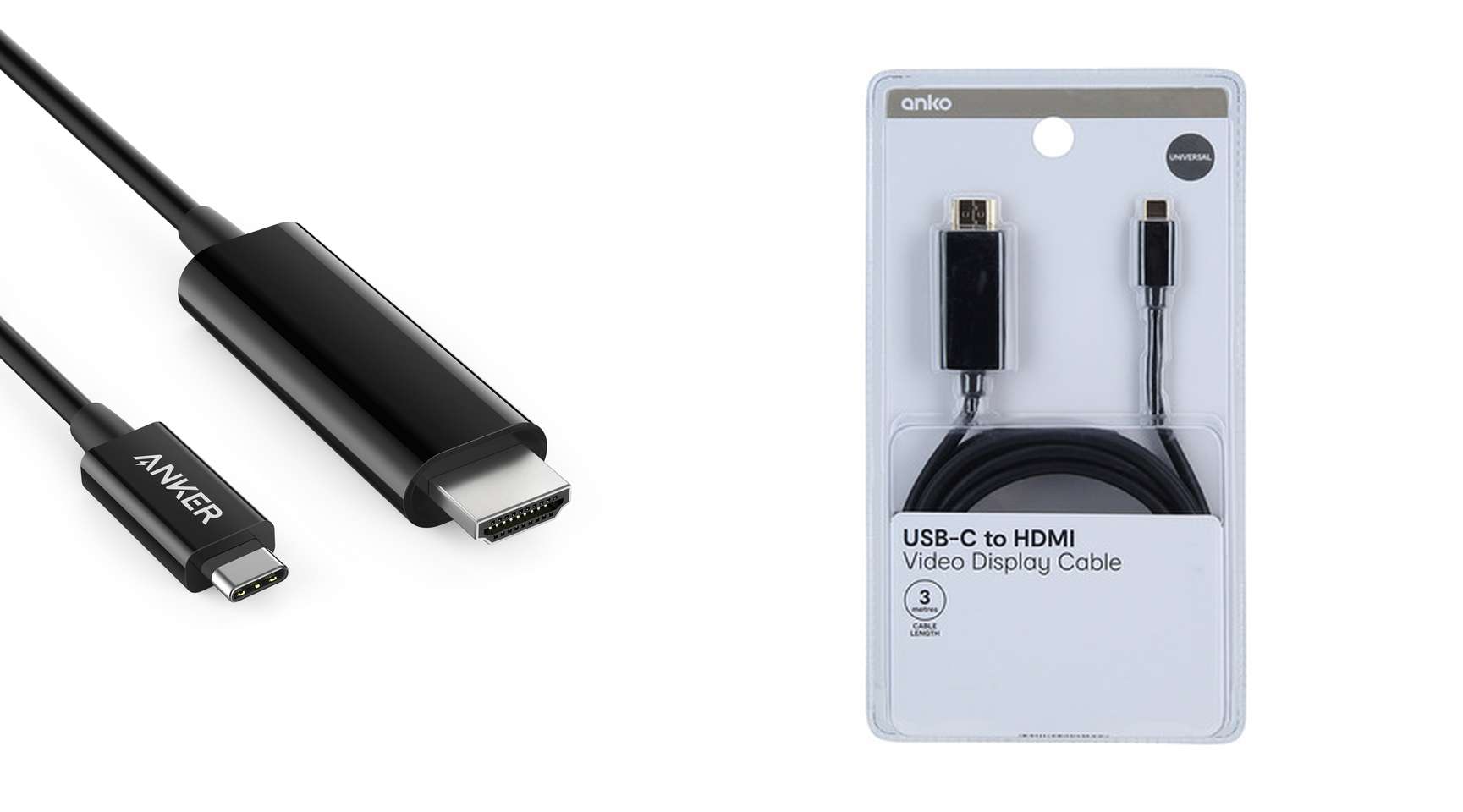
Step 3 Prepare USB-C to HDMI cable
You need a USB-C to HDMI conversion cable to connect MacBook Air with Sony TV. Please be aware that, the cable has to be clearly specified as a “VIDEO” Cable, because cables with the same shape may have different functionalities. Fortunately, VIDEO cable is the most popular type.

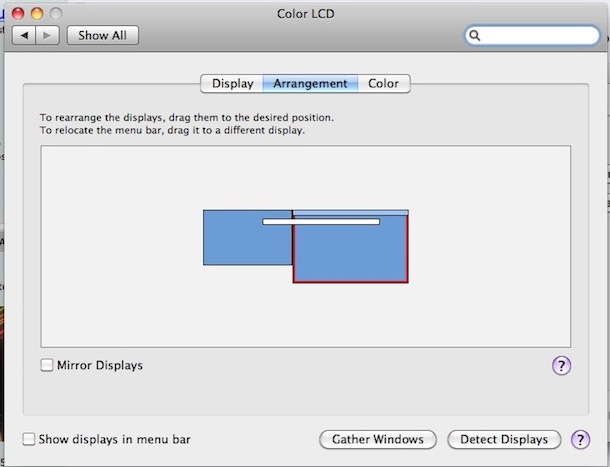
Step 4 Set up the displays as an extended desktop
You can arrange your displays in any configuration to create an extended desktop. For example, you can set your displays side-by-side to create one large continuous desktop.
- On your Mac, choose Apple menu
> System Preferences, click Displays, then click Arrangement.
- Follow the onscreen instructions.
Step 5 Config Microsoft RDP
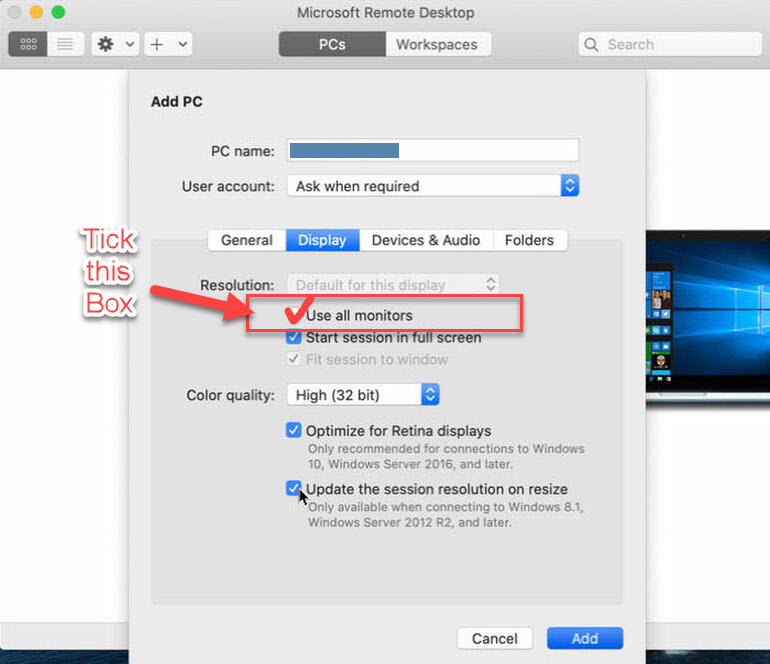
Open Microsoft Remote Desktop, and edit the connection preview as shown below. Please make sure you tick the “User all Monitors”. It’s better not to touch any other configurations.


If you encounter any problems
With fingers crossed, you should be able to use a two-screen workspace from now on. Nevertheless, if you encounter any issues, please do not hesitate to contact me.