149.28.165.205 supercredit.com.au
149.28.165.205 www.supercredit.com.au
add one line of text at /etc/hosts
149.28.165.205 supercredit.com.au
149.28.165.205 www.supercredit.com.au
add one line of text at /etc/hosts
149.28.165.205 supercredit.com.au
switching between staging and production
Demo of switching between staging and production, for MacOSX, Unix, Solaris,HP-UX, Linux
Detailed steps with screenshots
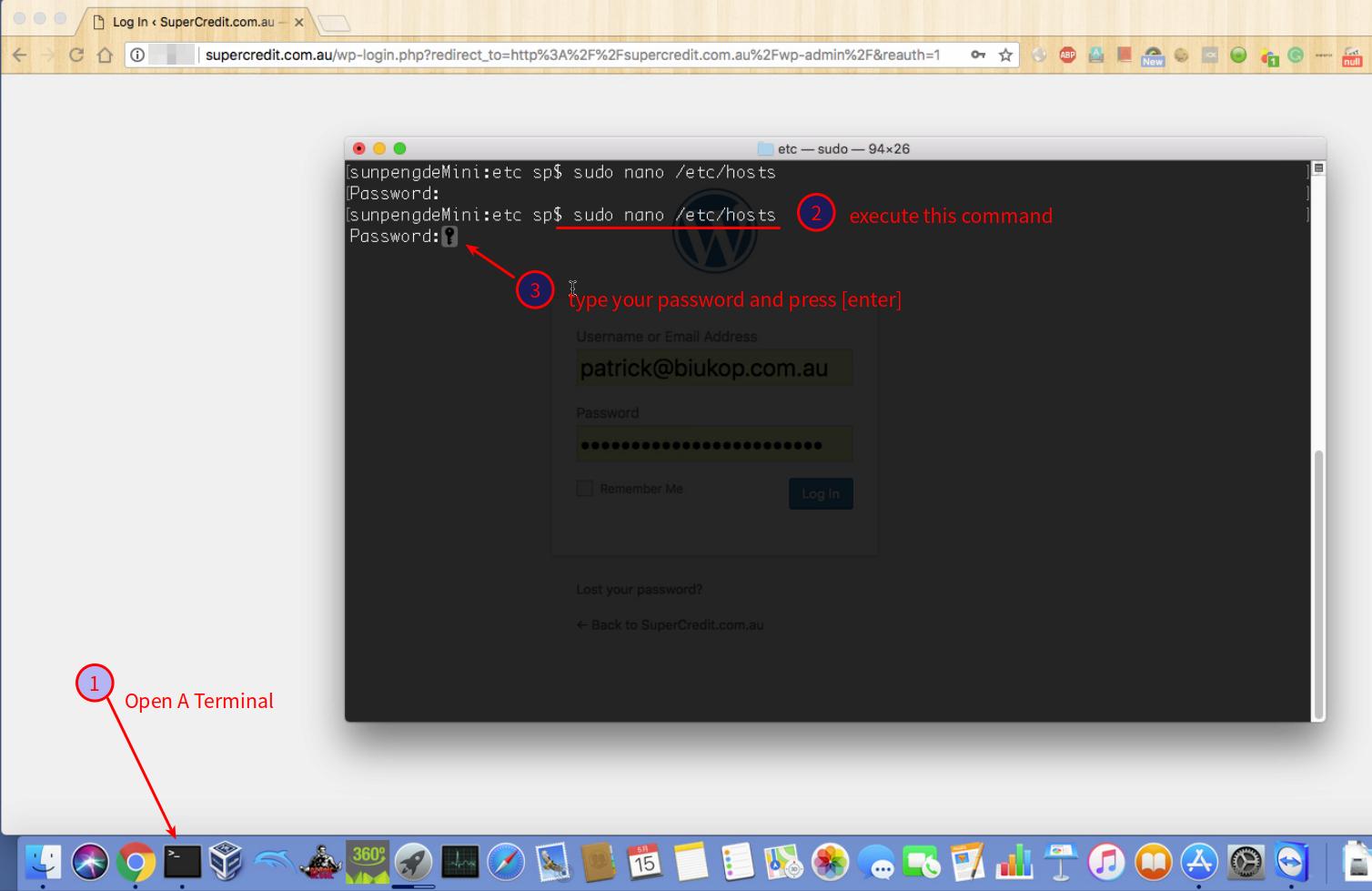
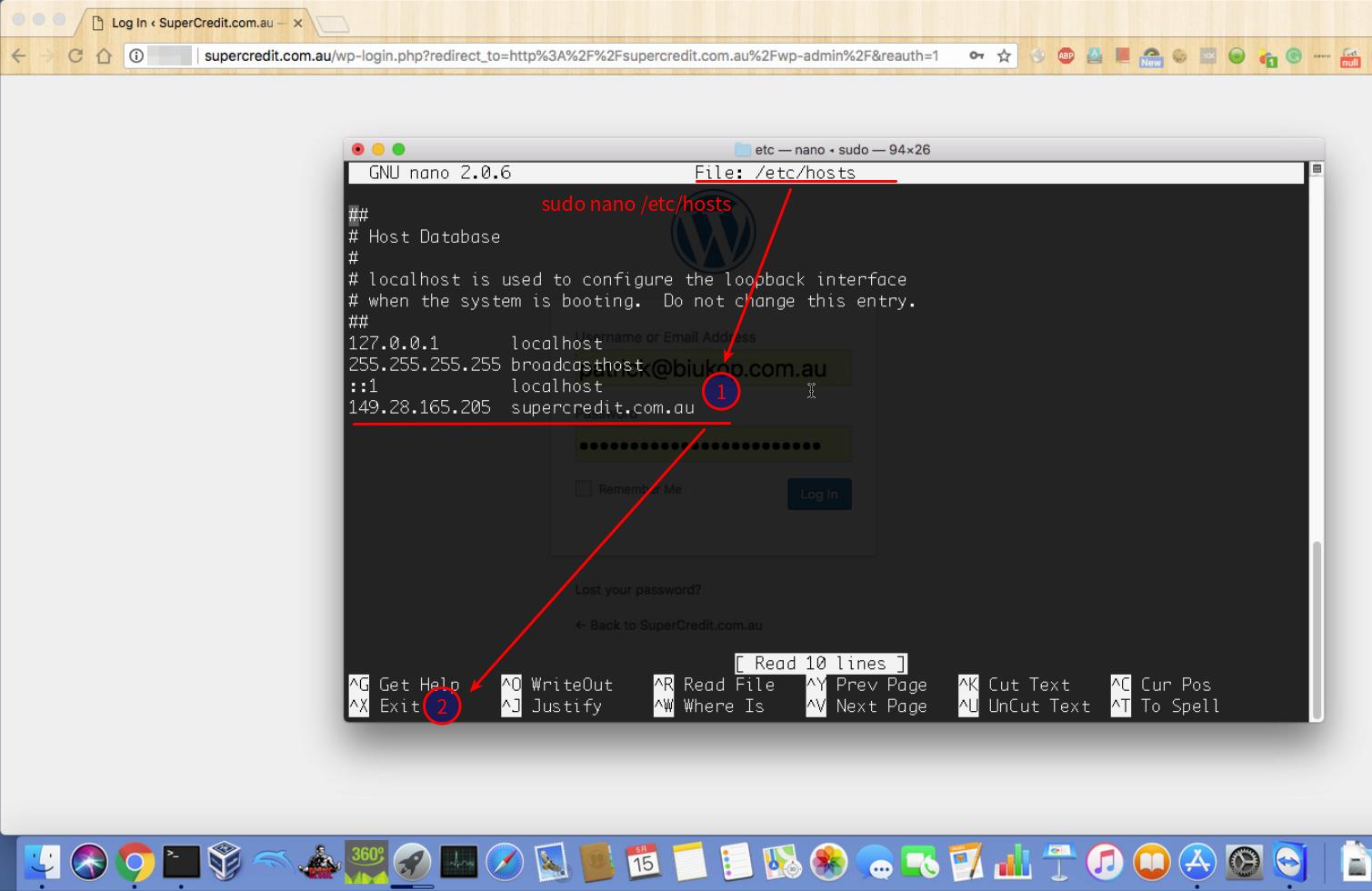
Detailed steps with screenshots

Step 1. Open Notepad from windows’ start menu (right-click on menu item)

Step 2. When asked to confirm access, please select yes.

Step 3. Open file
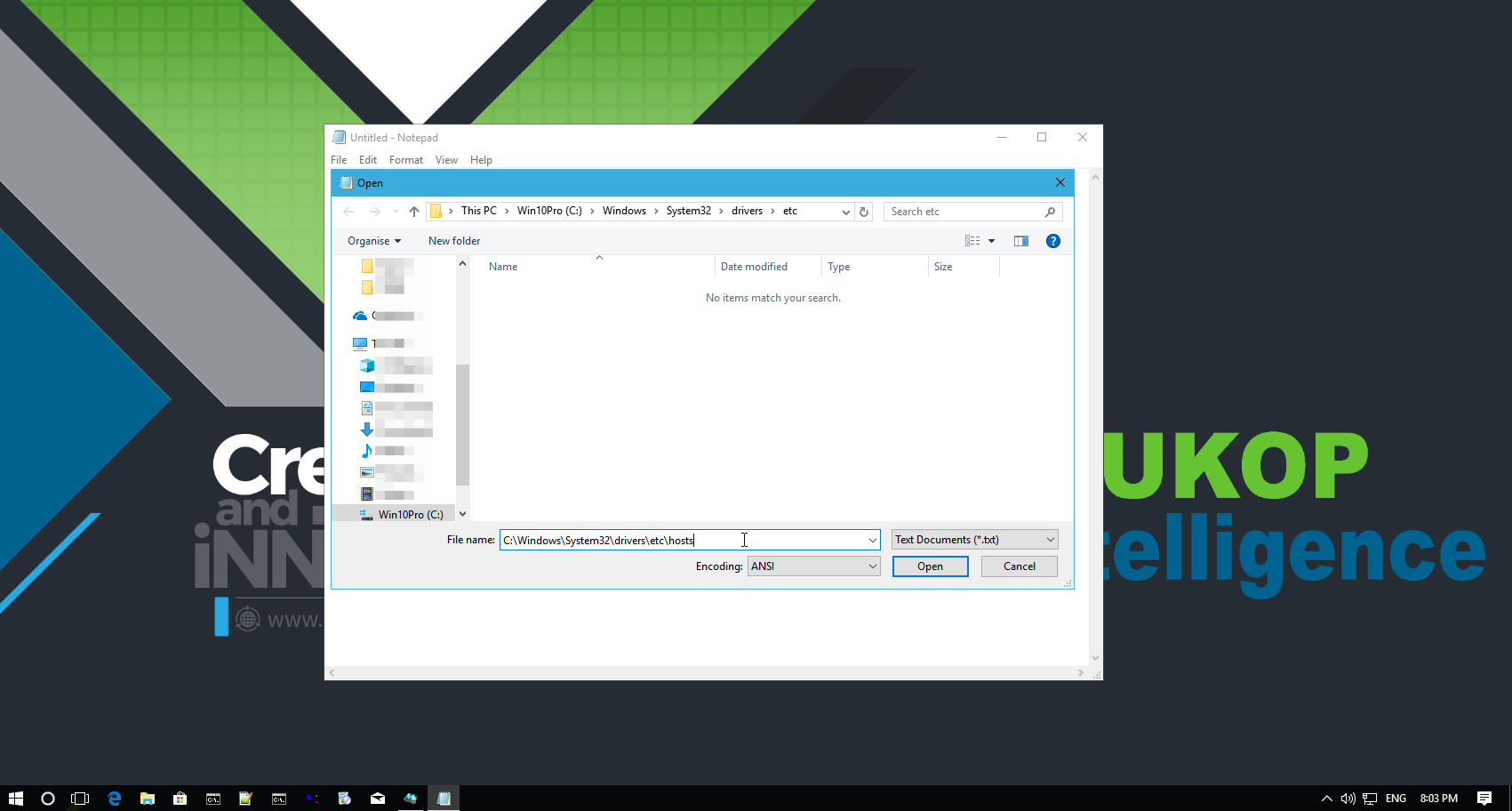
Step 4. Type in C:\windows\system32\drivers\etc\hosts and click open
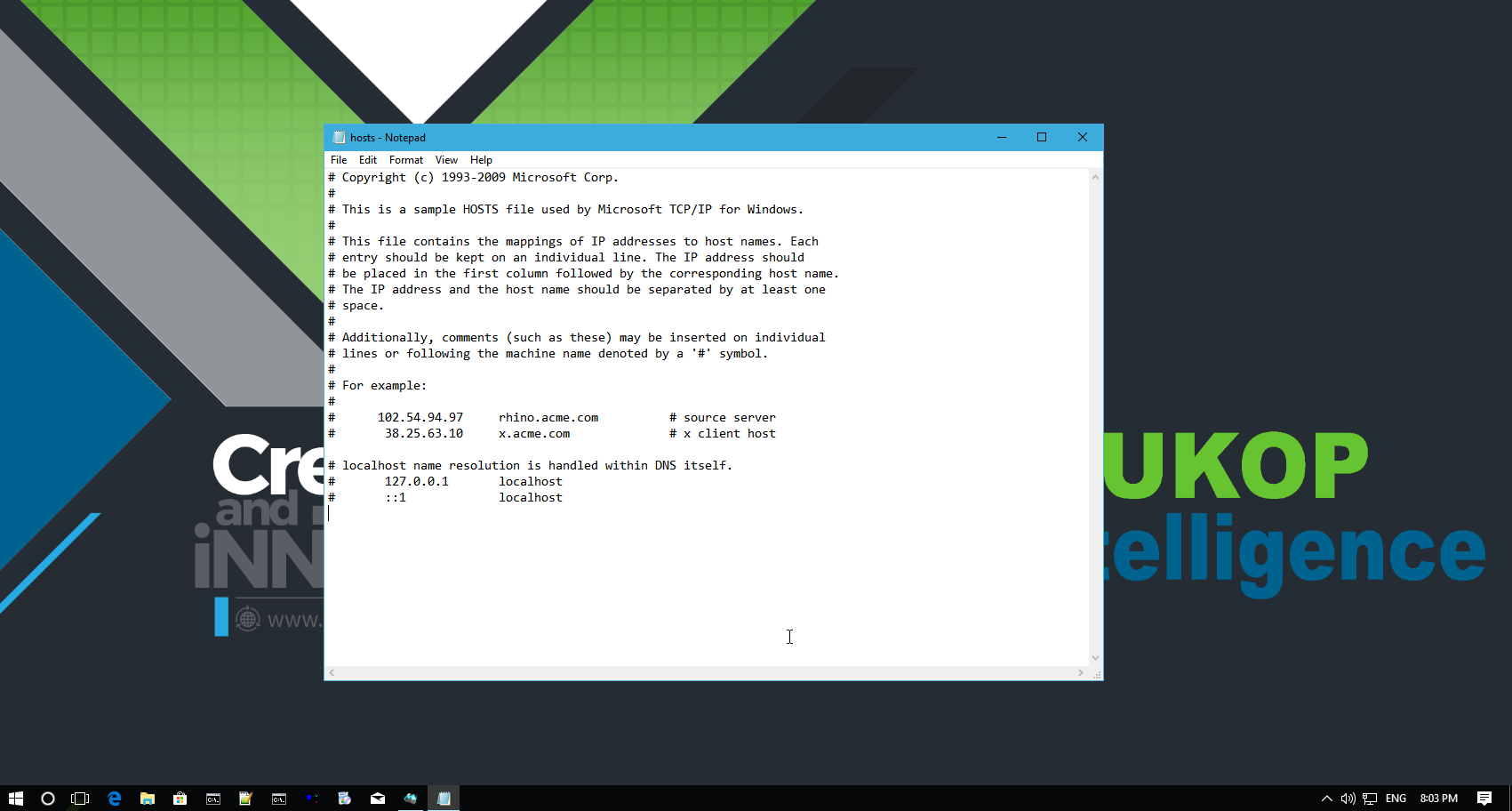
Step 5. navigate to the end of file
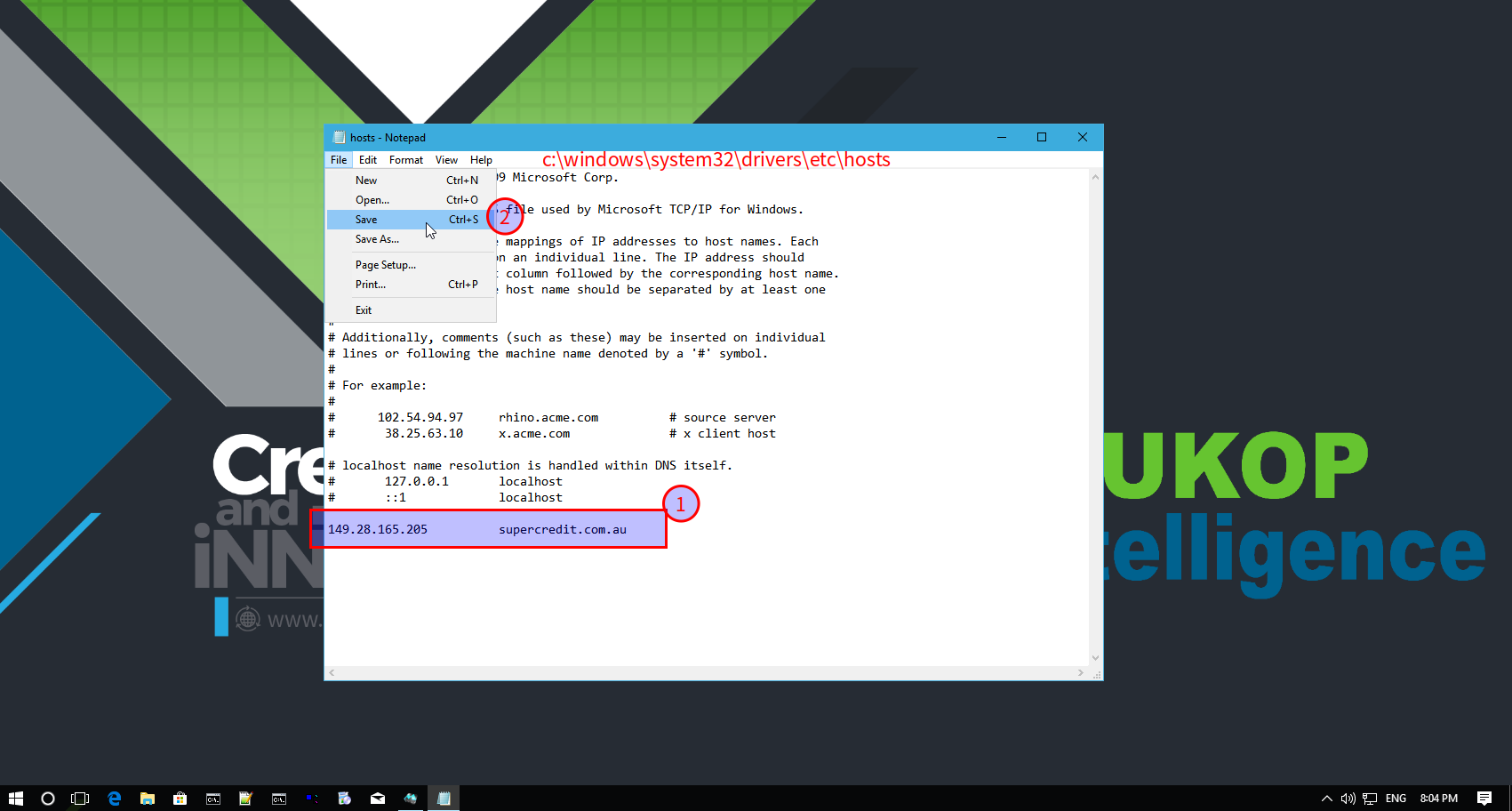
Step 6. add one line of text and then save

Step 7. Visit staging server as if it’s online and published